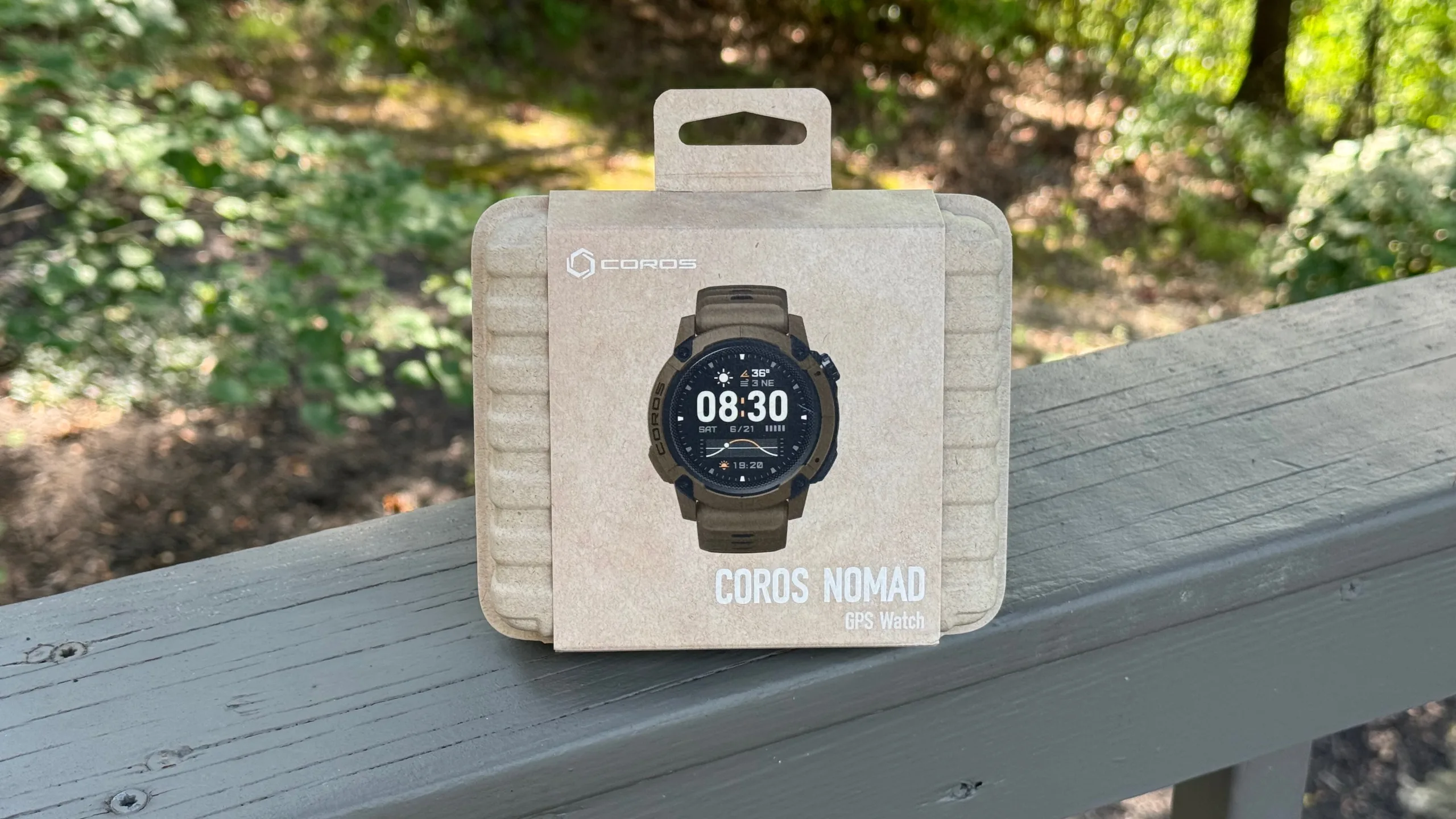


Today, Coros is introducing its fourth line in the watch category called the Nomad. As the name would suggest, the Nomad has been developed to be the ideal adventure partner – whether that’s mountain biking, fishing, hiking, or something in between. In addition to excellent battery life, the Nomad has a rugged build and some interesting features to help you before, during, and after your adventures.
Hardware

Physically, the Nomad is a bigger watch than their Pace and Apex models, but it’s still relatively lightweight with a 41.5g watch body. Total weight with the included silicone band is 61g, while an optional nylon band will drop the weight to just 49g (same as the Pace Pro with a silicone band). The additional weight comes mostly from a thicker watch body (47.8 x 47.8 x 16.4 mm) with a raised bezel to provide additional screen protection, and the addition of a third action button as well as a dual-mic (more on this later).
One of the first things users will probably notice is the screen. At first glance, it’s not the vibrant AMOLED screen found on the Pace Pro, but the third-generation Memory-in-Pixel. This 1.3″ screen with 260 x 260 resolution claims to be better in low light, more visible outdoors, and allows for exceptional battery life even with an always-on display.
That screen is housed under new hardened mineral glass for more scratch and crack resistance than the Pace series. The body itself is a combination of high-strength polymer and aluminum alloy to allow it to survive the great outdoors – and is waterproof to 50m.
Inside, you’ll find sensors for optical heart rate, blood oxygen, ECG, and barometric pressure, along with a gyroscope, accelerometer, and compass. Notably, Coros claims that the new pulse oximetry sensor, or SpO2, is 20% more accurate. Supported satellite systems include GPS, GLONASS, Galileo, BeiDou, and QZSS, and the dual frequency supports L1/L5 GPS signals. The
Nomad includes 32GB of internal storage, though mine came shipped with 18.9GB already spoken for. If you don’t delete any of the preinstalled maps, that leaves roughly 13GB for additional map storage, music storage for offline playback, saved routes, workouts, and more.
Along with the new SpO2 sensor, the Nomad gets the AMBIQ Apollo 510 processor, which is also found in the Pace Pro. This is said to be a huge upgrade for mapping and allows for a more seamless experience.
Navigation with Street Names, Finally

That’s important because for the first time, the Nomad offers the ability to see street names when navigating maps (and the Pace Pro should get this ability in the future). While the turn-by-turn alerts don’t include street names, you’ll be able to see the street names on the map overlay to help you find your way. You’ll also be able to see built-in points of interest and, perhaps more importantly, a differentiation between roads and trails. The entire mapping experience is faster overall thanks to the improved processor.
In order to see the navigation maps, you must be actively recording an activity like a run, ride, etc. During that activity, pressing the new action button on the side of the watch will switch from the data field to the map and vice versa. You can also swipe left or right on the touchscreen watch face.
Adventure Journal
A big part of the Nomad watch launch is actually in the Coros app, or rather, the interplay between the app and the watch. Coros is calling this the Adventure Journal, and it’s an entire system to plan, execute, and relive your adventures with the help of the watch.
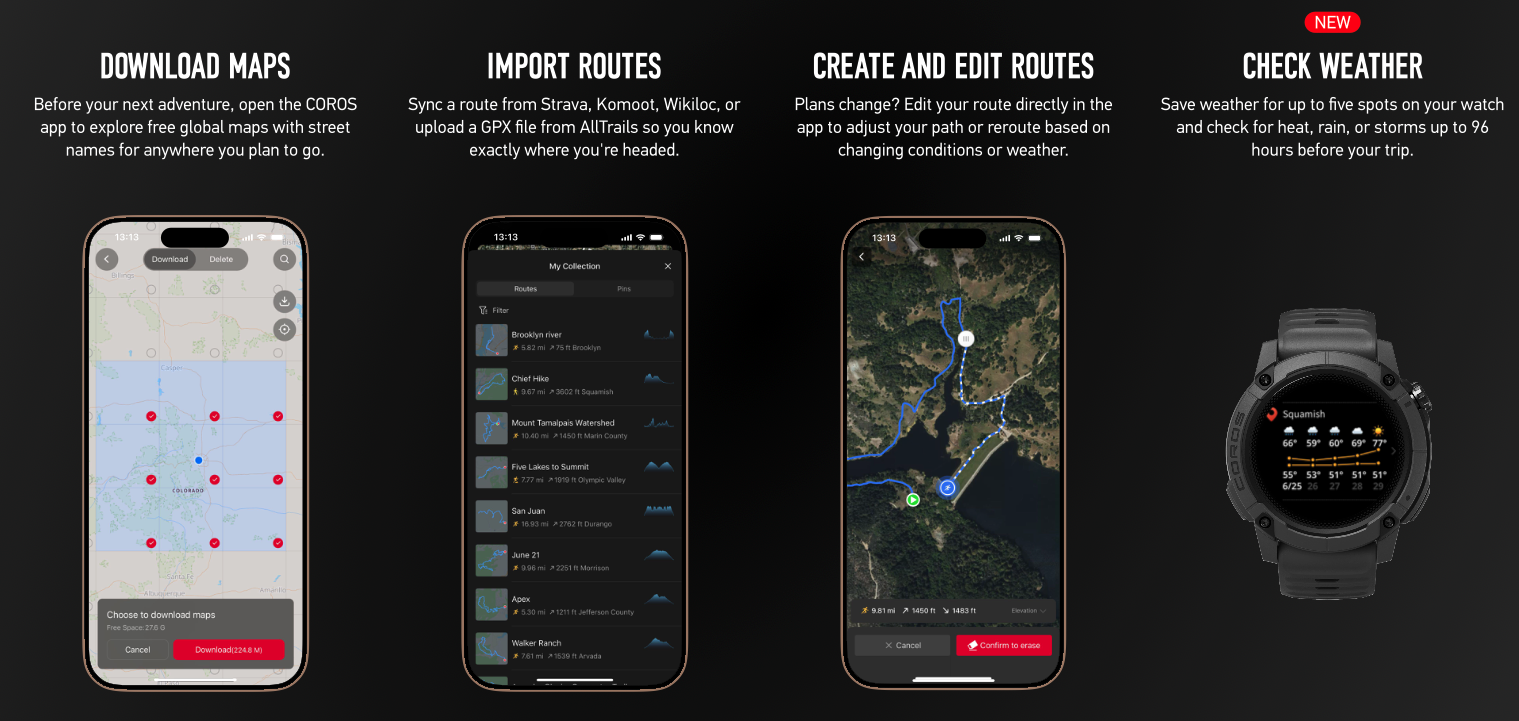
Using the app before your adventure, you can download maps (though 15 GB worth were already loaded on our sample watch), import routes from Strava, Komoot, Wikiloc, or upload GPX files from AllTrails, and you can create and edit routes directly in the app. That last one could be useful to alter your route based on changing conditions or weather… which also can now be checked on the Nomad. You can save up to five locations, and get a basic five-day forecast with fairly detailed temperature, chance of precipitation, wind forecast, and barometer readings for the next 24 hours. The watch will also provide storm safety and altitude alerts.
The watch will provide even more detail for your current location, but the five saved locations allow you to plan for future locations on your journey.
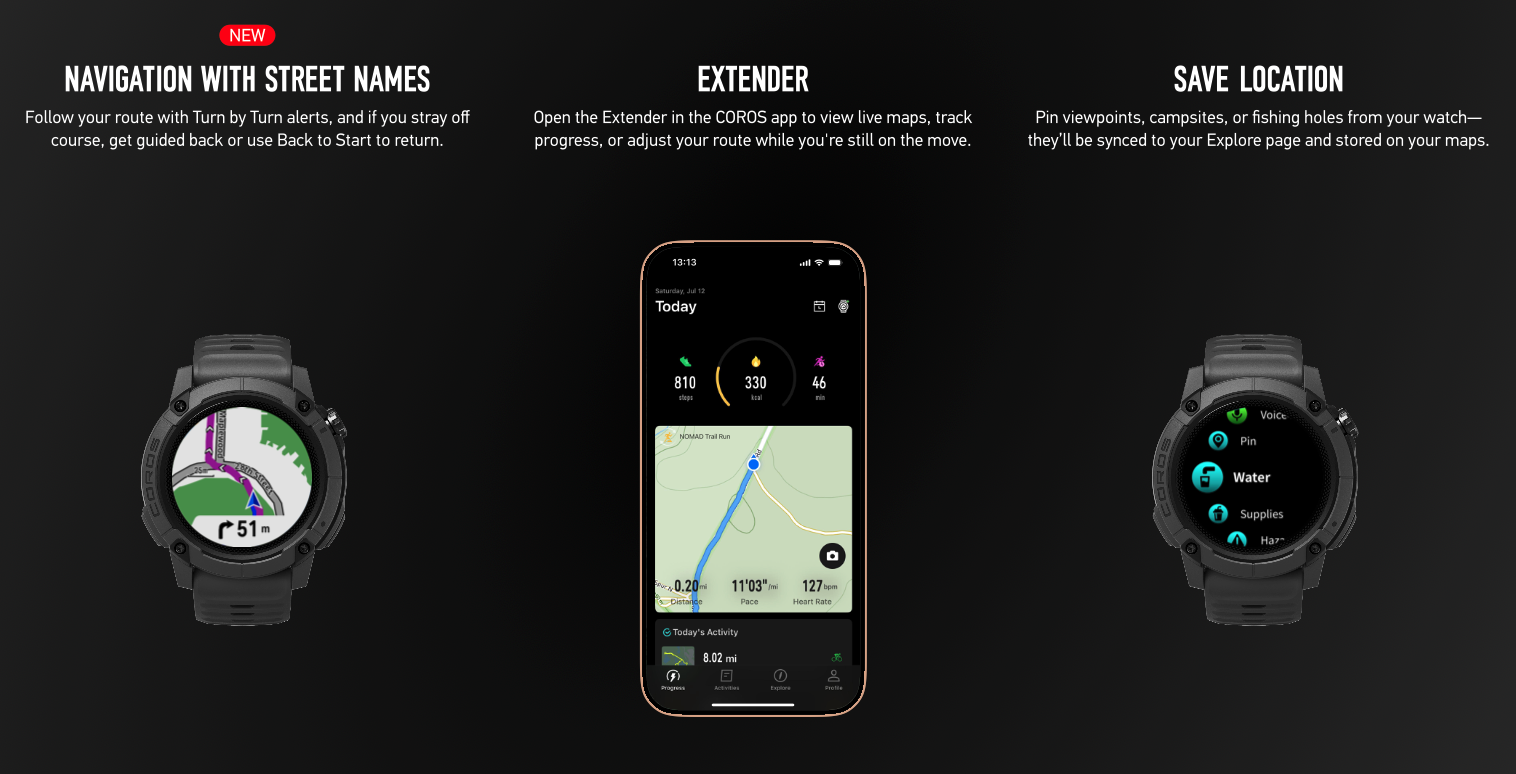
During your adventure, the navigation with street maps feature will guide you in the right direction, and there is a Back to Start feature to get back to the trailhead. Outside of the watch, the Extender in the Coros app gives you a bigger screen and more options to adjust your route on the move.

Additionally, you can save locations with a short press on the action button shortcut, or add a voice pin, which can be used to add thoughts or details mid-adventure that you want to recall later. This is why the Nomad has a dual-mic setup to allow it to record voice pins, where the audio is saved and transcribed in the Coros app for use later.
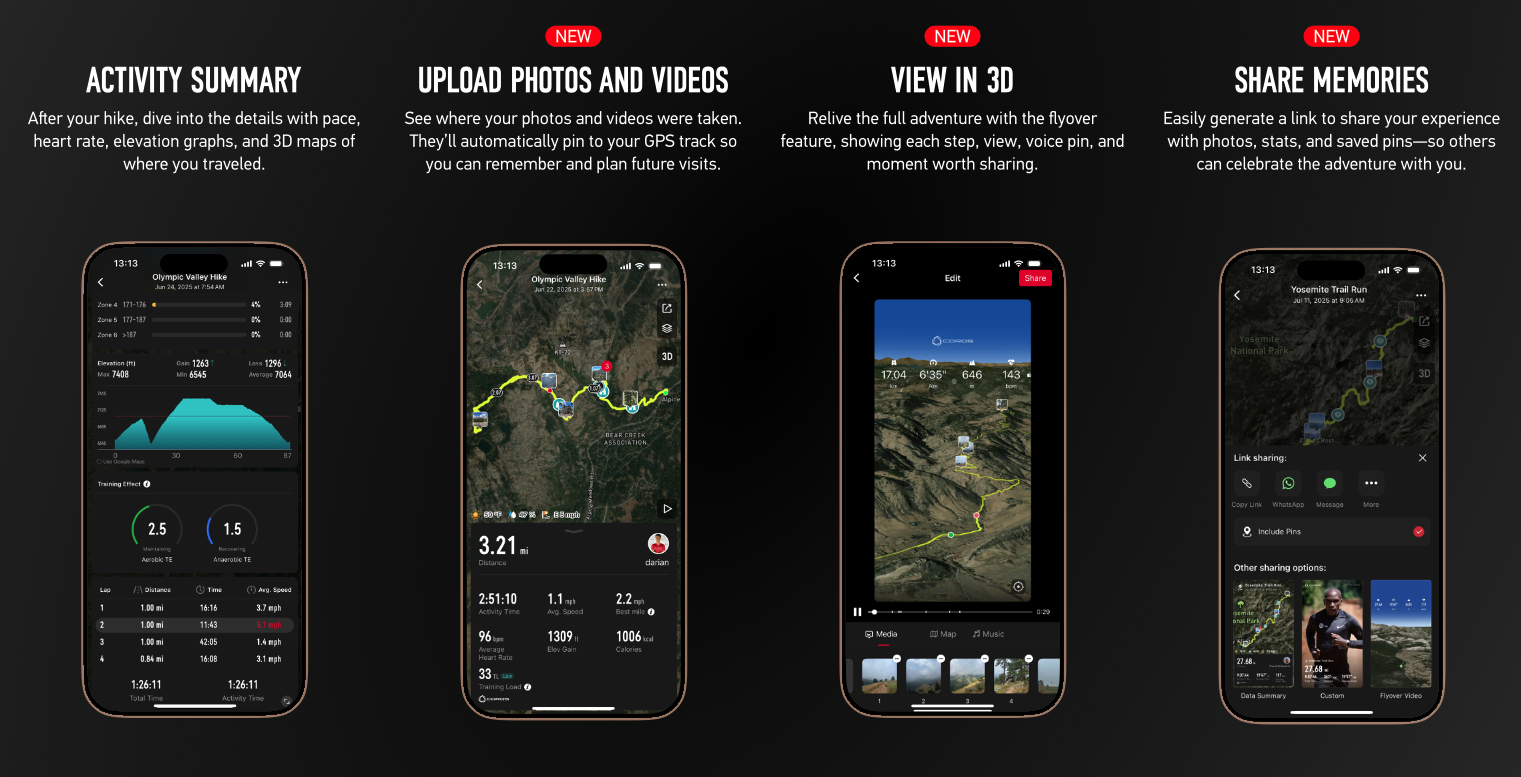
After the adventure, you can view it all in an activity summary on the app, upload photos and videos which automatically pin to the GPS track (photos taken with your phone will automatically sync), and you can see it all in 3D with a flyover feature. The app also generates a link to share your experience in a form that is tailored for various social media.
A Fishing Watch?
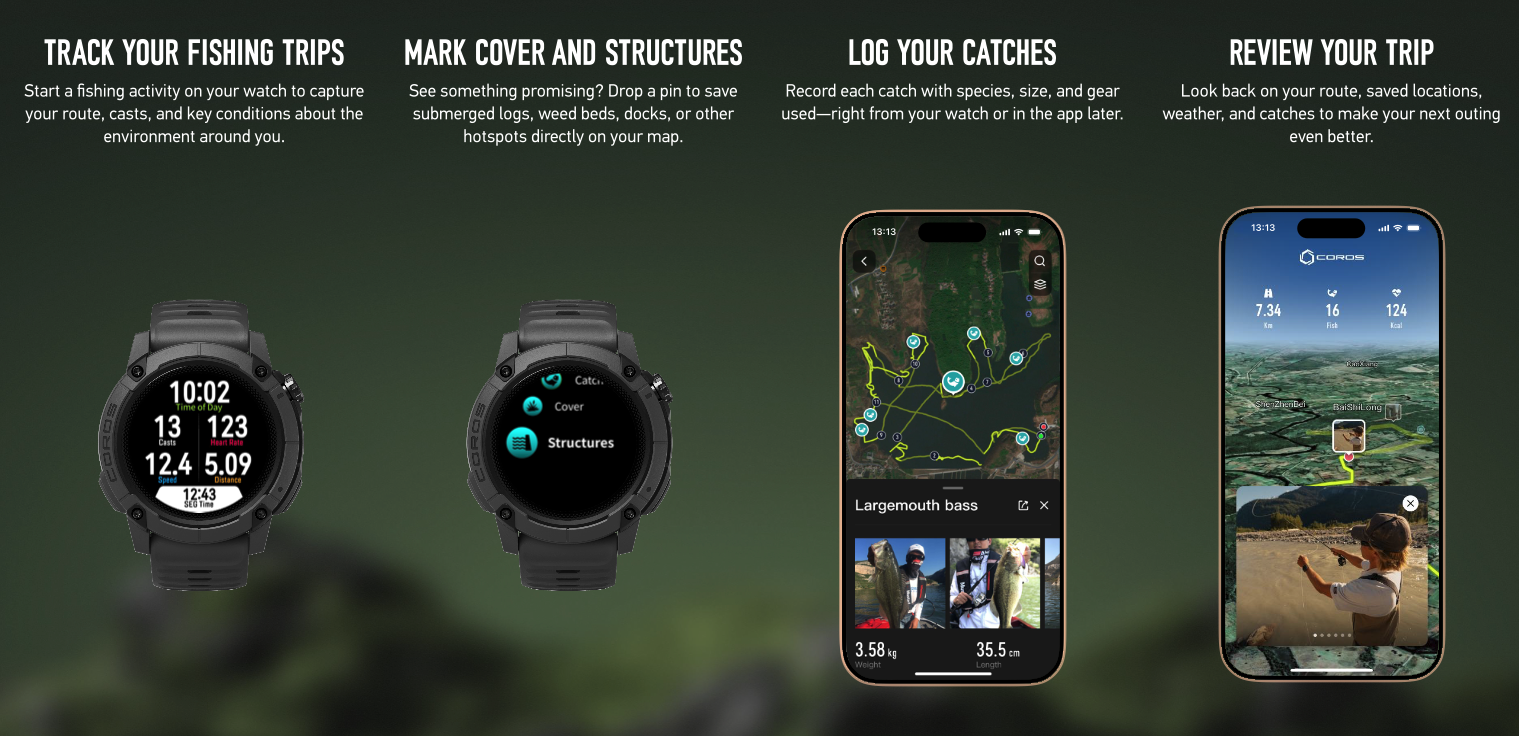
Coros calls the Nomad a watch for active anglers, whether fishing by foot or by boat. Six different fishing activity modes include Shore, Boat, Surf, Offshore/Inshore, Kayak, and Fly Fishing, and each changes how the GPS calculates the position.
Fishing specific features include a catch log, best fishing time (what time of day, tide, moon phase etc. is best to actually catch something), point of interest marking (cover or structure in or around the water), location lock (kind of a virtual anchor that alerts you if you drift away), and movement detection which differentiates time spend fishing vs. moving between spots.
Additionally, the environmental info can provide real-time weather conditions, including moon phase, tide data, sunset/sunrise, and air pressure. Like other features with the Coros watches, though, this is only accessible inside a recording activity.
Like the Adventure Journal for other outdoor pursuits, Coros envisions the Nomad to be used for fishing trips, allowing you to track trips, mark cover and structure with a pin, log your catches with photos, and review the trip at the end through the app.
Battery Life
If there’s one thing that Coros does extremely well, it’s battery life. That’s no different here, with the Nomad offering enough juice for 22 days of continuous daily use, including sleep tracking, daily stress, and dialysis HR monitoring. (without GPS activities). Using all systems, you’ll get a 50-hour run time, and if you use dual frequency plus all systems, that drops to 34 hours.
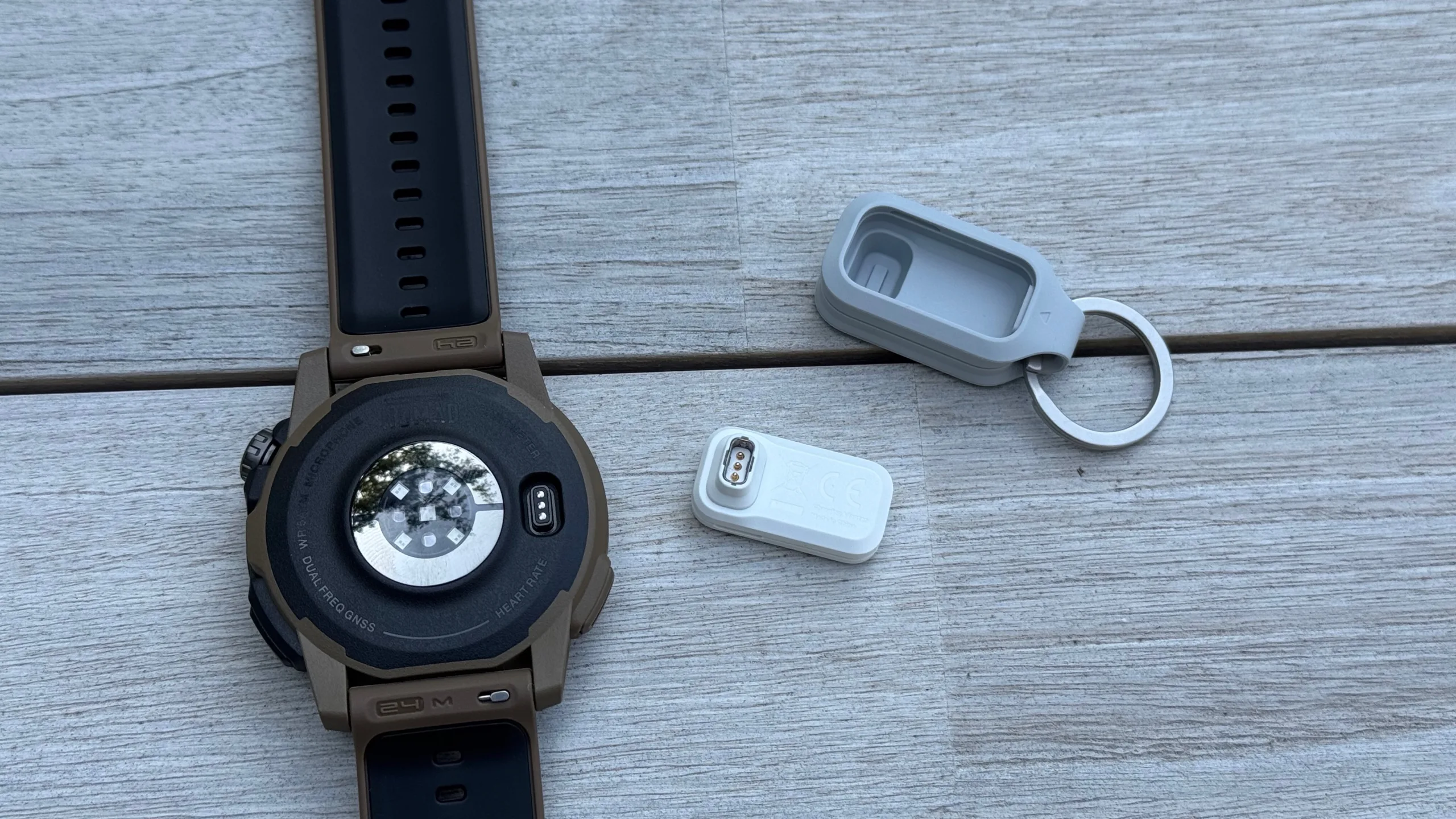
Like many smart watches, to charge the Nomad, you’ll need a proprietary charger – in this case, the USB-C A2 charger, which is the same as the Pace Pro. The charging adapter offers a more stable charging connection with a deeper port and a more solid click. The adapter works with any USB-C charging cable (the watch doesn’t include a charging cable, but customer support will send you one if you don’t already have one). Since the tiny A2 charger would be very easy to lose, it comes in a silicone key chain holder which can be attached to your bag or anywhere to permanently anchor it in place. The little adapters aren’t exactly cheap to replace at $30 a pop, so try not to lose it.
Pricing, Colors, and Fit
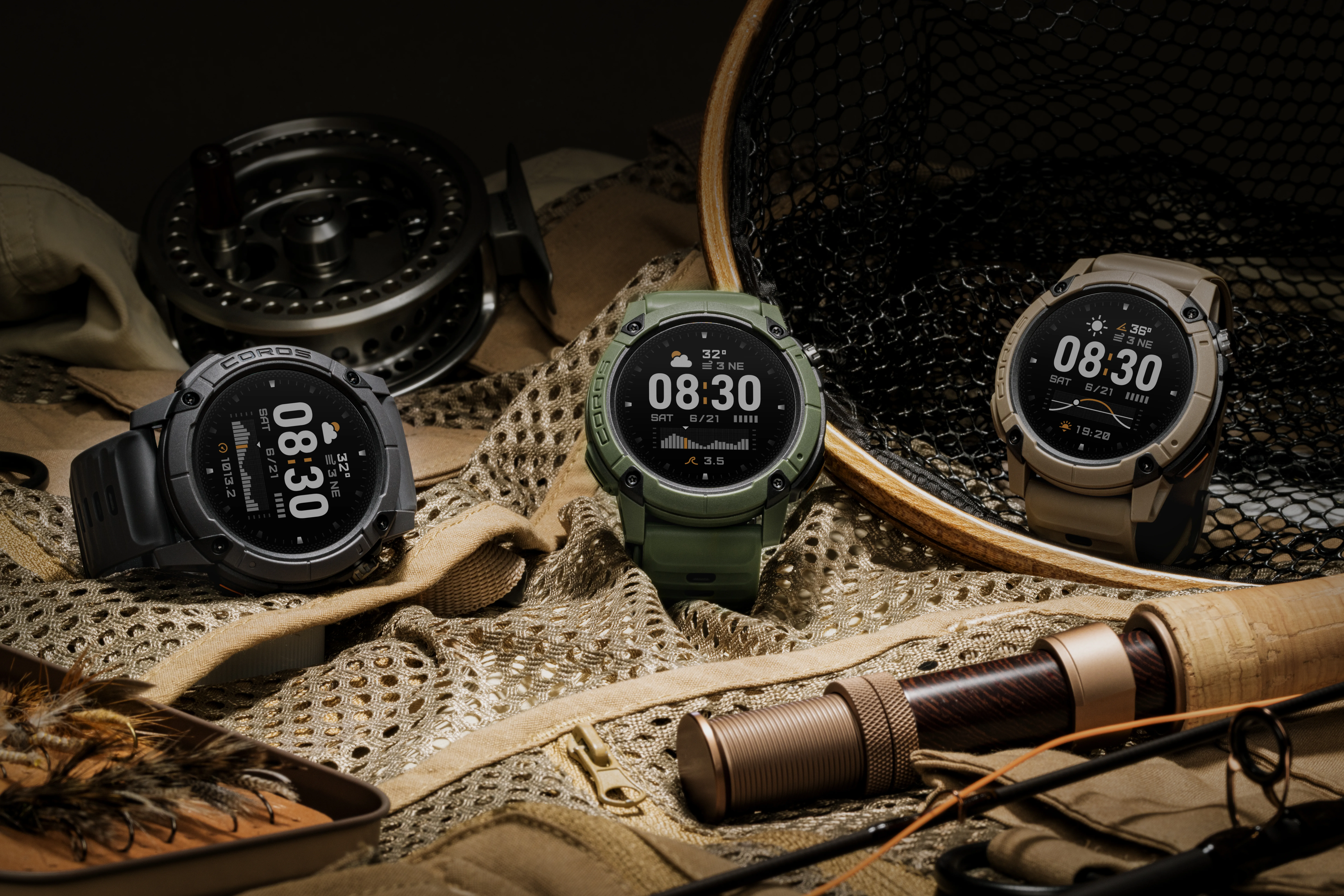
Offered in three outdoorsy colors, the Nomad is available as Dark Grey, Green, or Brown. The watch is priced at $349, which includes the silicone watch band and the USB-C A2 charger. The included watch band is the M size, which is said to fit wrist sizes from 130-210mm. Alternatively, the aftermarket nylon band will fit wrists from 150-220mm, and the Silicone L band ranges from 150-240mm. The Nomad is available starting today.
Coros Nomad Watch First Impressions
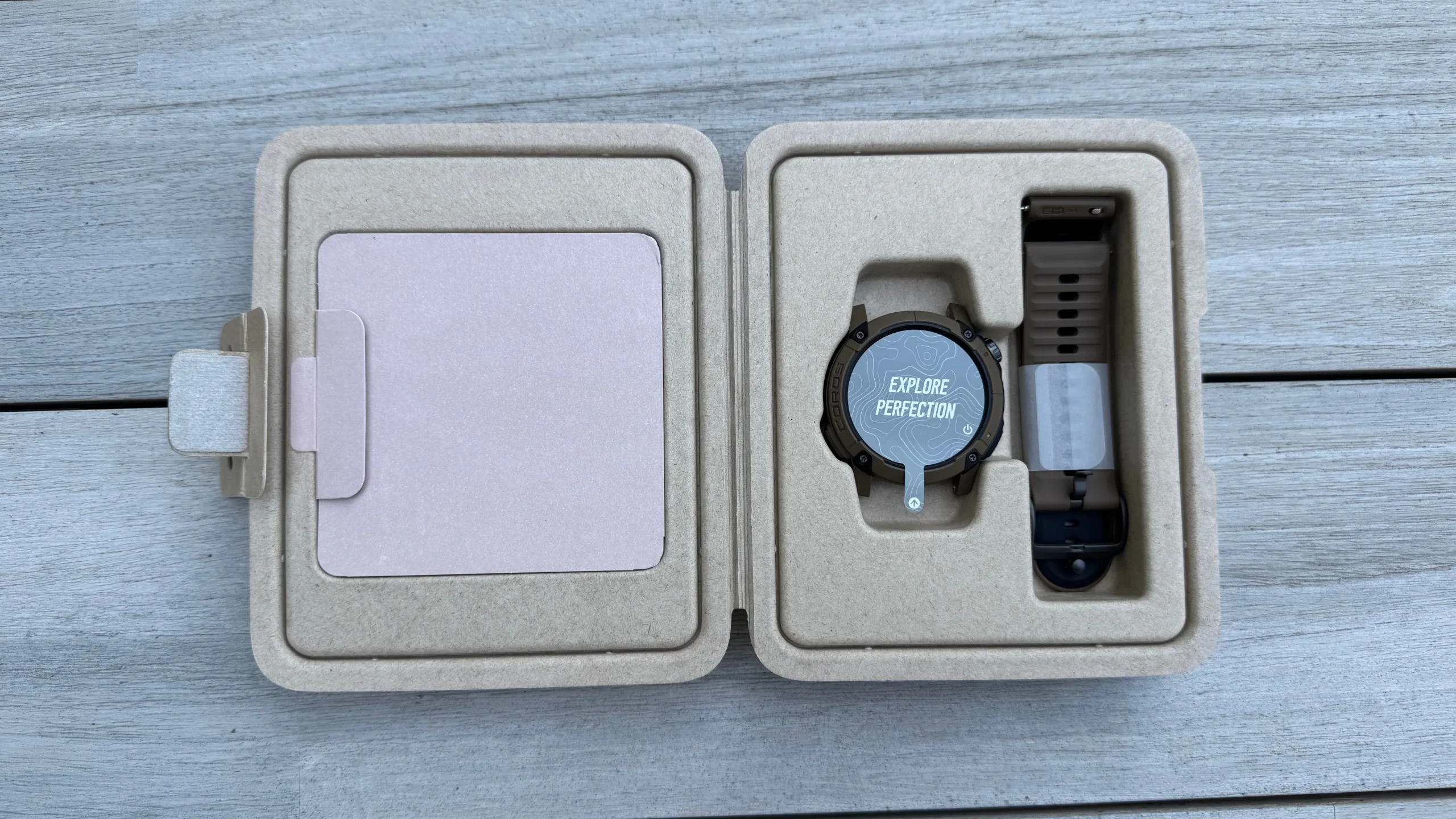
I’ve had a sample of the Coros Nomad for a few weeks now, which has required the use of the beta version of the Coros app. Similar to the Coros Dura, testing of many features has been limited due to the timing of their roll-out, but the Nomad is definitely more polished than the Dura was at the time of launch (and the Dura is much better now after many updates, including the most recent that was required to make it work with the Nomad).
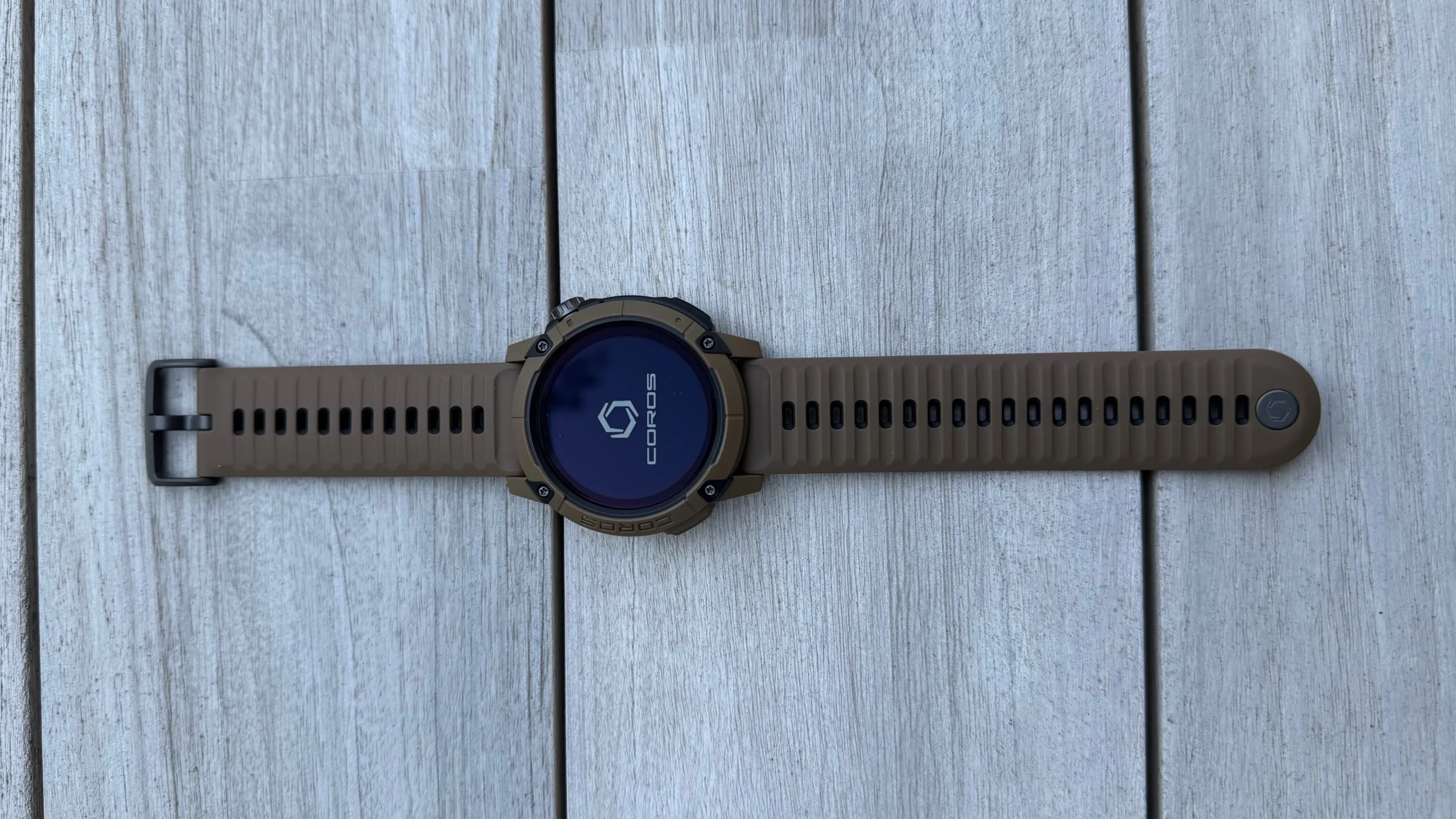
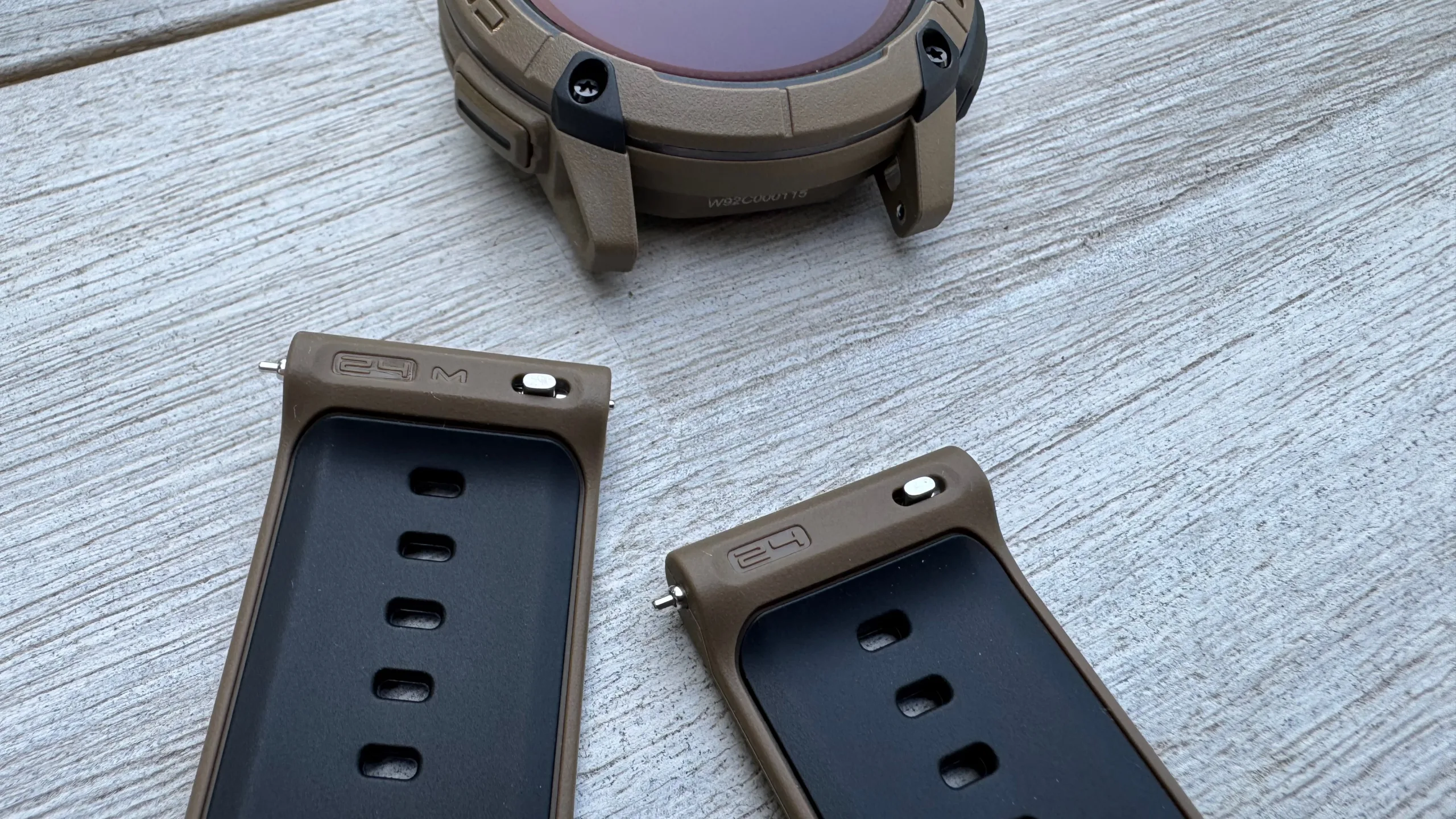
Out of the box, the Nomad has a nice look and feel to it. In my opinion, the strap design is superior to the Pace Pro, thanks to pivoting attachments at the watch body and a watch buckle and strap keeper that is easier to use. Without the band keeper from the Pace Pro, the Nomad strap is much faster and less fiddly to attach to your wrist, and the press-fit band keeper for the Nomad allows you to make micro-adjustments in the tightness of the wrist band. I find myself constantly adjusting watches with optical heart rate monitors as my wrist changes in size throughout the day, since you want it tight enough to measure properly, but not so tight that it cuts off circulation.
The Nomad is better in this regard, which also makes it a better candidate for mountain biking and gravel biking. These types of activities can be jarring over rough terrain, which can make watches hard to wear and less accurate in terms of the HR monitor. The Nomad seems to do a pretty good job of staying put without needing to be cranked down super tight.
For those of us with thicker arm hair, take note – you may need to at least trim that hair for the optical HR sensor to measure correctly. One day, I noticed that the wellness check had stopped working on both the Coros and the Pace Pro, but it worked on my wife’s arm. I didn’t shave my arm, but I did trim the hair under the watch, and it started reading properly again.
Initially, I was a bit underwhelmed with the memory-in-pixel display after getting used to the vibrant AMOLED screen of the Pace Pro. However, after using it outside, I’ve grown to appreciate its visibility in all light conditions. And since the display is always on (except at night if you set it to your sleep schedule), you never have to move your wrists multiple times to get the watch face to wake up to display the time.
As someone who is constantly banging their wrist against things, I also appreciate the increased durability of the watch face and the increased protection of the raised bezel. It didn’t take me long to scratch the screen of the Pace Pro, but the Nomad is still in perfect condition.
It wasn’t until the last week that the latest firmware update delivered the ability to save voice pins and added street names for navigation, so there hasn’t been much time to test those features. Until you customize the button shortcuts, the ability to save voice pins is limited to the fishing modes, but once you go into the app, you can set the ability to save voice pins for any button in all activities. In those fishing modes, though, pressing the back/lap button did bring up the option to easily record a voice pin, and it stored it in the activity on the app.
The street names on the navigation map are a step in the right direction, as is the ability to choose a destination on the app and automatically gain a turn-by-turn route to get there. Compared to other route-making apps, though, the Coros system still falls a bit short. When plotting cycling routes, it directs you to the shortest route, which often includes roads that are not ideal in terms of traffic and rider safety. There also doesn’t seem to be a way to alter those predetermined routes if you know that a specific road is to be avoided.
Once that route is selected and uploaded to your watch, the turn-by-turn feature is better than previous experience with Coros watches (and the Dura for that matter), but it still has room to improve. Turn instructions are simply ‘turn right’ or ‘turn left’ without the street or trail name you’re supposed to turn on. In most cases, that should be adequate, but in some situations with lots of streets close together, it could lead to confusion. And if you don’t turn in the right spot, you don’t get a message that you missed the turn, but a beep, and then the watch shows the distance to the turn increasing, rather than decreasing. Eventually, the watch gives up on beeping to tell you that you missed the turn and doesn’t provide any sort of rerouting.
As a daily watch, I’ve grown to appreciate the sleep and fitness tracking from the Coros system, and of all the wrist-mounted HR monitors I’ve tried, the Nomad has been one of the most accurate. I attribute at least part of this to the band’s ability to dial in the right tightness so that the watch is less likely to move around during an activity without cutting off circulation, but I leave it fairly loose during sleep, and it still seems to track overnight HRV and sleep accurately.
Realistically, with the current firmware, the Nomad seems like a bigger deal for the fishing community, with features not found in many smartwatches. Possibly because of that, those features seem better developed at the time of launch. Initially, I was excited at the prospect of having a watch that would provide tidal information specifically for beach fat bike adventures, where knowing when the tide is coming in is crucial to your ability to ride on the sand. Unfortunately, that information is only available inside an activity, and inside a fishing activity at that. That kind of sums up my experience with the Nomad so far – it has a lot of interesting features, but I haven’t yet figured out a way to use them in the way that I want.
Future firmware updates may expand the abilities of the watch, though, which at this point seems to be standard procedure for Coros devices.

