


Zwift Play is out, Zwift Click v2 is in, and the cost of simplified virtual shifting with a single Zwift Cog on your indoor home trainer just got a lot cheaper. Just strap these onto the bike already on your home trainer to get quiet & smooth virtual in-game shifting, easier navigation of the Zwift environment without having to reach for your laptop or phone, and all those added gamification features like in-game steering, Ride Ons & Powerups.
The new Clicks are smarter than v1 and smaller than Play, more affordable than either, and now more versatile to fit any type of bike. Plus, they now come with a Zwift Cog ready-to-install tool-free on many home trainers for just $50€, almost 40% cheaper than the original Cog & Click upgrade.
Zwift Click v2 virtual shift & in-game controllers

Zwift has rolled out a lot of new in-game features and real-world integrations this year, with plenty more in the works for the rest of 2025 to make your upcoming indoor training season more immersive and more productive. But they have just one new piece of hardware, meant to make adoption of their virtual shifting with the simple Zwift Cog even easier, cheaper, and more interactive.
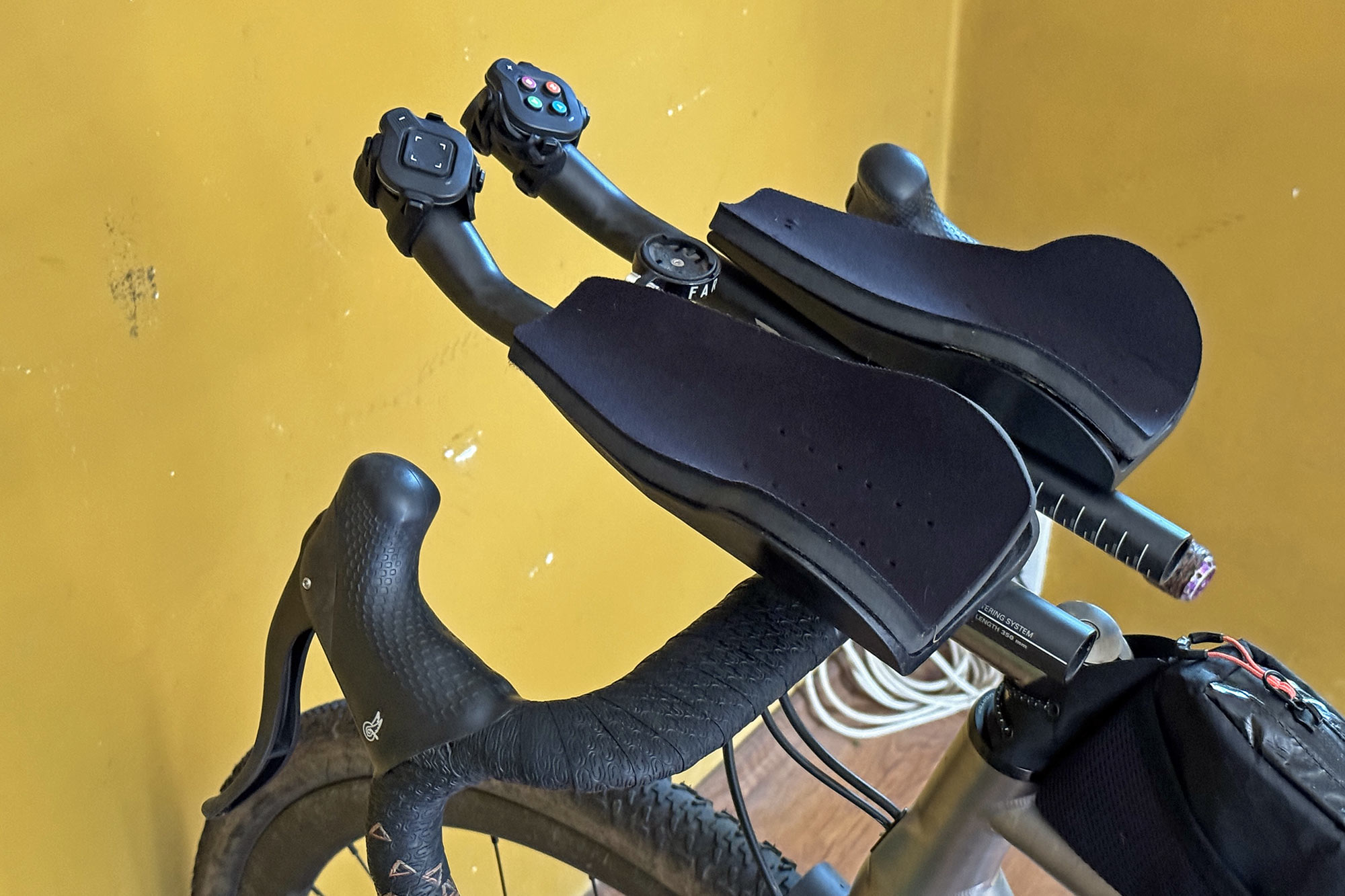
These second-generation pair of Zwift Click controllers adopt the same video game pad feel of the original Zwift Play controllers or the integrated controls on Zwift’s own Ride Smart bike, but at a much more accessible price point.
“Take full control of your Zwift experience” easier than ever. Now, you can just strap them to the inside of your road bike’s hoods, onto your aerobar extensions, or your mountain bike’s flat bar, and away you ride… virtually off into the wilds of Watopia.

Tech details

- compatible with any handlebar type – road, mountain, TT/triathlon, or any other alt-bars
- customizable button orientation allows you to angle the new Zwift Click v2 controllers whichever way feels best
- separate up- & down-shift buttons for easy no-look, virtual shifting in-game
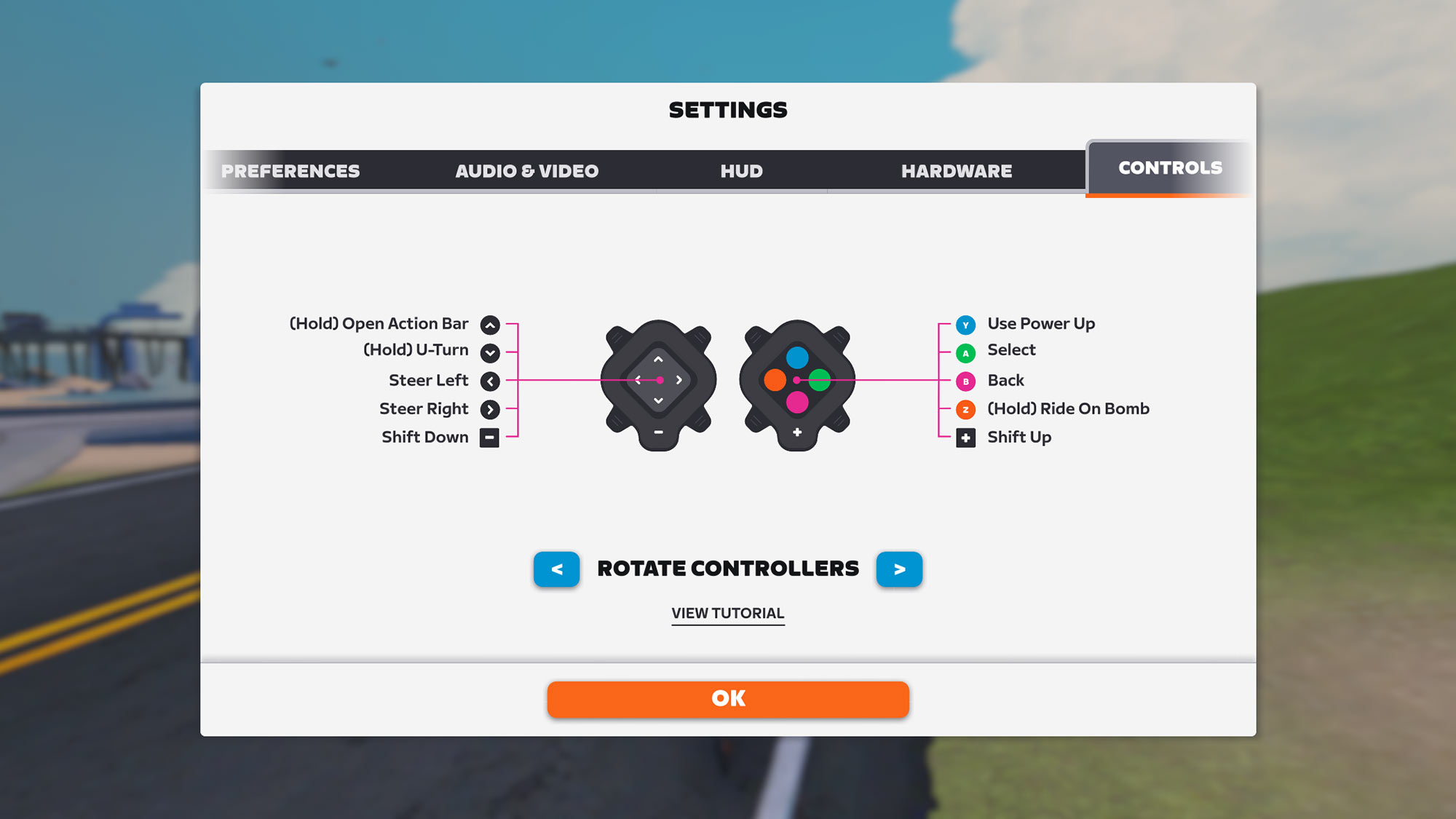
- navigate in-game through Zwift – directional pad navigates on-screen menus AND lets you steer as you ride
- shortcut buttons operate just like Zwift Ride & Play to easily access PowerUps, Ride Ons, and more…
- just 4x4cm and 57g for the pair with straps
First Impressions – Setup
I have played with the new Clicks for about a week, both toying with their setup and getting used to them in-game.
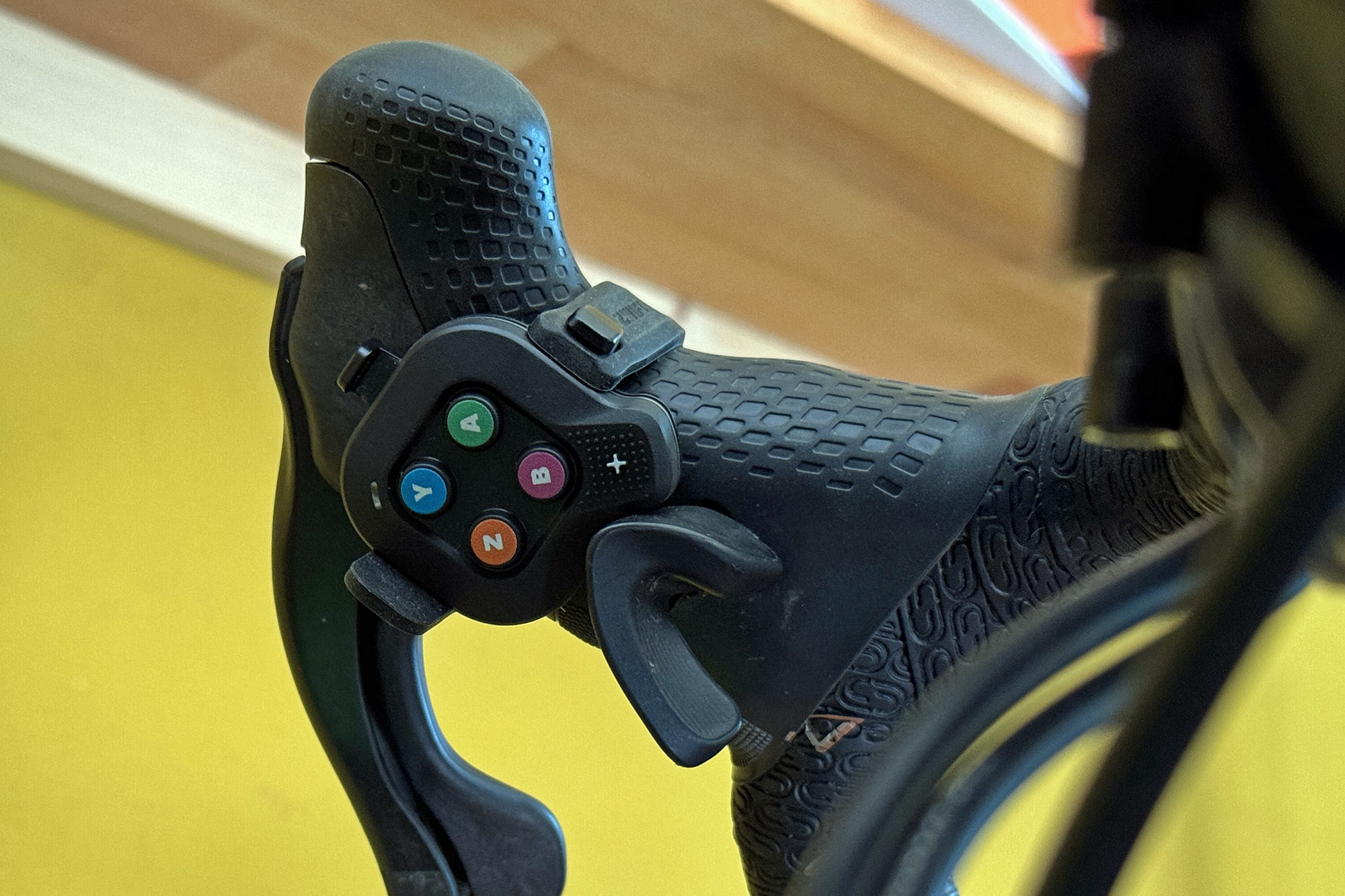
Setup was actually a bit tricky, as I needed to figure out how best to mount them to my bars. Unlike Zwift Play which has a fixed position on top of your hoods and horizontal button position, the new Click v2 controllers simply strap to the side of your hoods with 1 or 2 included rubberbands.

Positioning is flexible, but their little rubber spacers are not very secure, and it’s not so easy to align them exactly how you want on the irregular shape of many ergonomic hoods. Campy thumb buttons kind of got in the way, but ultimately, I found an orientation that I liked. It was an easier setup on SRAM AXS levers, as well as on aerobar extensions.
Or of course, you can strap them to the tops, but who rides a trainer on the tops?
Indoor Riding Impressions

The next step was seeing what interactivity you experience in-game.
Virtual shifting was the first and most important since the Zwift Cog means all shifting has to happen in-game, not with your bike’s normal shifters. The separate + & – buttons to shift are plenty easy to find without looking down. And they work quite well. But realistically, shifting is nowhere near as intuitive, nor as ergonomic, as the shifters already on your bike. Moving to a Cog & Click interface is all about simplicity and interactivity, but the shift experience isn’t really on par with what you get from any modern bike drivetrain options.
The other interactive features like in-game steering, power-ups, and communicating with other riders are certainly nice, though. And being able to navigate function menus without reaching my sweaty hand to my laptop has been great.

And lastly, I just need to get used to the button layouts.
The trick here is that, compared to the previous Zwift Play, you can’t see the actual buttons if the new Click v2 controllers are attached to the sides of the hoods, like Zwift suggests for dropbars. My first problem was that of all bikes that I mount to a trainer, all have handlebars with a bit of flare to the drops, making it even harder to see the buttons. It simply takes repeated Zwift riding to familiarize yourself with the buttons and their in-game function enough that you won’t need to look down as you ride.
I am not there quite yet. But after just a couple rides, I’ve already gotten the hang of virtual shifting, in-game steering, and power-ups. The rest will come.
Zwift Click v2 – Pricing, options & availability

The new Zwift Click v2 virtual shift & in-game controllers are sold as a pair combined with the latest Zwift Cog to upgrade your home trainer to virtual shifting. In order to make your interactive indoor training upgrade easier, new Zwift Cog & Click upgrade kits come on pre-assembled freehub bodies for simple install without special tools on trainers from the likes of Wahoo, Elite, Garmin/Tacx, and more. It also gets lower pricing than any Zwift virtual interactive shifting yet, just $50 / £50 / 50€ for the upgrade kit including Cog & Click v2 controllers.
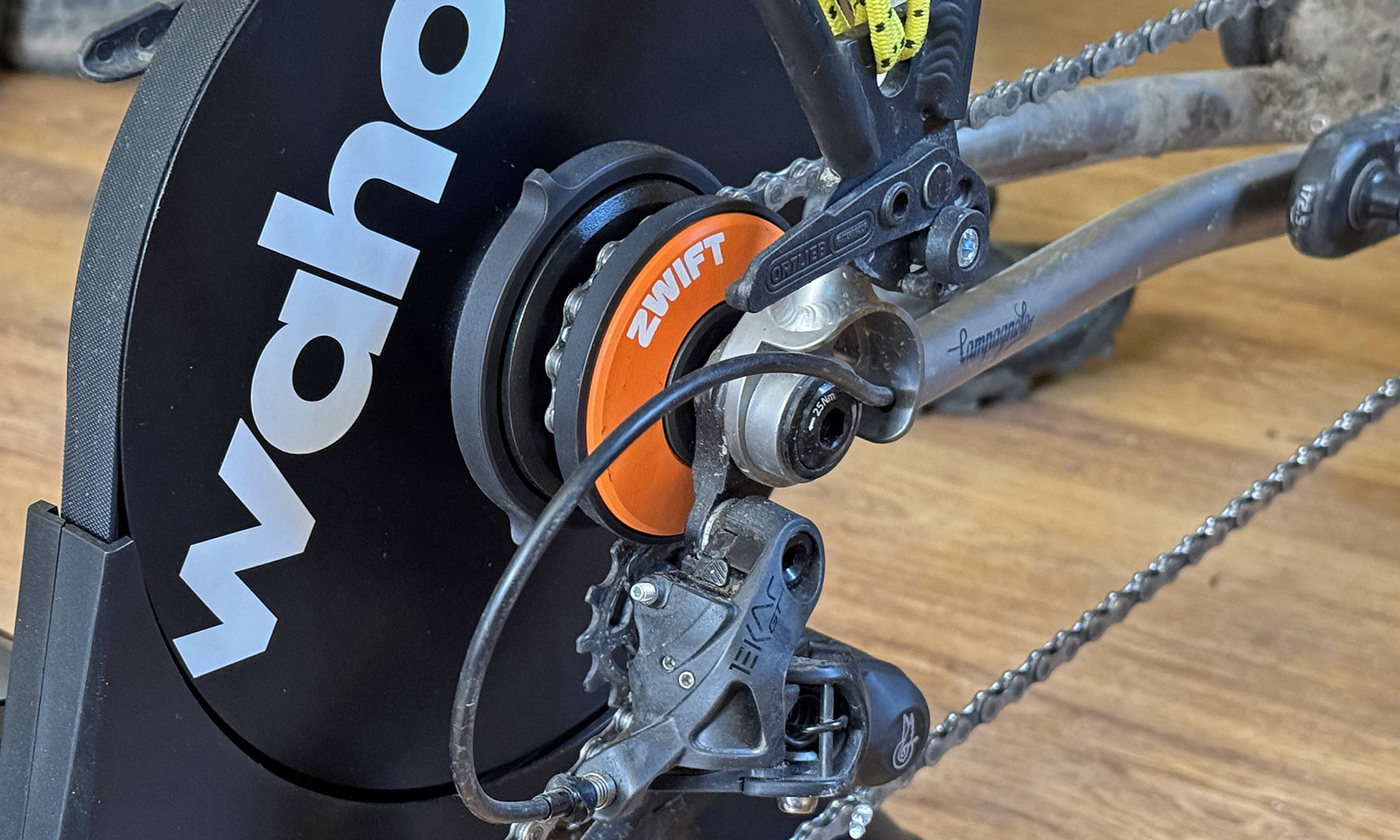
Get yours starting next Tuesday, September 9th, directly from Zwift, or even pre-installed worldwide on trainers from Wahoo, Elite, Van Rysel & JetBlack starting next week.

